In today’s data‑driven world, DBMS (Database Management Systems) and SQL (Structured Query Language) are the backbone of almost every application you use — from banking apps to e‑commerce platforms. If you want to stand out in tech in 2025, mastering these skills is a game‑changer.
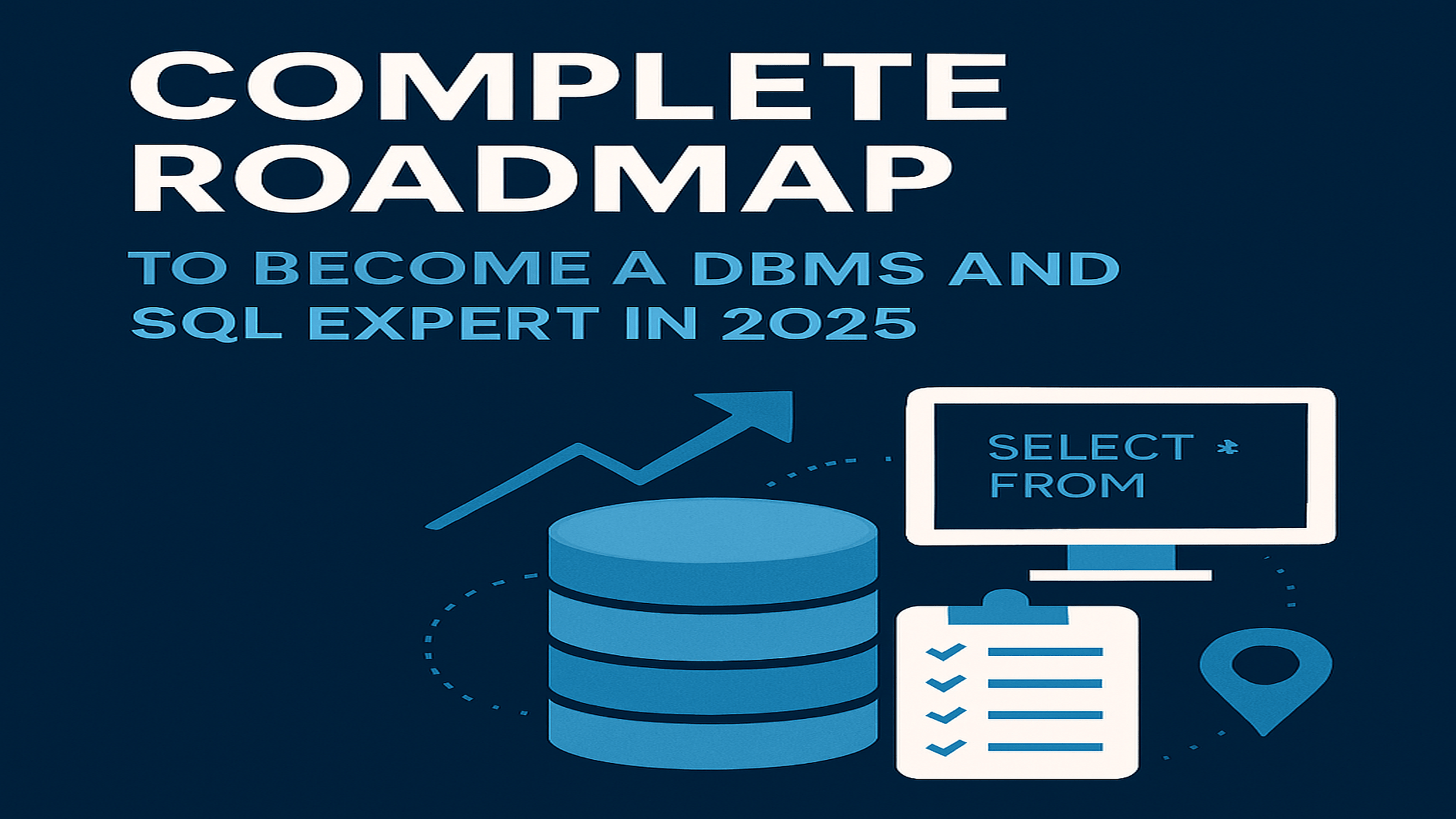
If you want to become a DBMS and SQL expert in 2025, you are preparing yourself for one of the most in-demand and evergreen career paths in IT. This complete database career roadmap will show you how to learn SQL step by step, understand DBMS fundamentals, and prepare for high-demand roles like SQL Developer or Database Administrator. Whether you are a student, job seeker, or working professional looking to upskill, this roadmap is designed for you.
Why Learn DBMS and SQL in 2025?
Before diving into the roadmap, let’s understand why DBMS and SQL are so important in 2025:
- Data Growth – With hundreds of petabytes of data being produced daily, companies are in constant need of skilled professionals who can manage, structure, and make sense of this information.
- Career Paths – Roles such as SQL Developer, Data Engineer, Backend Engineer, and Database Administrator are in high demand, all requiring solid expertise in DBMS and SQL.
- Timeless Relevance – While programming languages evolve, the need for reliable databases remains constant across industries.
- Lucrative Opportunities – The Specialized nature of database work, professionals in this field enjoy attractive salary packages across the globe.
- Core of Modern Technologies – From artificial intelligence to machine learning and big data analytics, every cutting-edge innovation depends on a strong foundation in database systems.
The Roadmap
Here’s the structured path we’ll follow:
- Phase 1: Fundamentals of Databases and SQL
- Phase 2: Core SQL Skills
- Phase 3: Advanced SQL Concepts
- Phase 4: Understanding DBMS in Depth
- Phase 5: Working with Popular Databases
- Phase 6: Real-World Database Design and Projects
- Phase 7: Performance, Security, and Optimization
- Phase 8: Advanced Tools and Specializations
- Phase 9: Building a Career as a DBMS and SQL Expert
Phase 1: Fundamentals of Databases and SQL
If you’re new to the world of databases, this is where your journey begins.
Understanding Databases
A database is an organized collection of information, stored in a way that makes it easy to find, manage, and update..
What is a DBMS?
A Database Management System (DBMS) is the software that allows you to work with databases. It provides tools to add, view, modify, and remove data, often referred to as CRUD operations (Create, Read, Update, Delete).
Popular DBMS examples: MySQL, PostgreSQL, Oracle Database, Microsoft SQL Server.
What is SQL?
SQL (Structured Query Language) is a special language created to talk to databases. Many beginners search for DBMS tutorials for beginners, and starting with SQL basics makes the learning curve much easier. Instead of clicking around in an app, you write simple commands that tell the database what to do with the stored information.
For example, with SQL you can:
- Find data, like pulling a list of all customers who made a purchase in the last week.
- Change data: such as increasing the salary of employees in the Sales department.
- Remove data: like deleting old or inactive user accounts.
In short, SQL acts like a translator between you and the database — you ask a question in SQL, and the database gives you the answer.
Core Topics to Cover in Phase 1
- Understanding data, tables, rows, and columns
- Primary keys and foreign keys
- Basics of relational databases (RDBMS)
- How DBMS differs from RDBMS
- Introduction to SQL syntax and commands
Suggested Duration: Around 2–3 weeks if you dedicate 1–2 hours per day.
Phase 2: Core SQL Skills
At this stage, focus on building strong query-writing skills.
- Fetching Data
- Use SELECT to pull information from tables.
- Add conditions with WHERE to filter results.
- Sort data using ORDER BY.
- Limit the number of rows shown with LIMIT.
- Changing Data in Tables
- Add new records with INSERT.
- Modify existing values using UPDATE.
- Remove unwanted rows with DELETE
- Understand how NULL works and how to handle missing values.
- Using Functions for Quick Insights
- Aggregate functions: AVG, SUM, COUNT, MIN, and MAX help summarize large amounts of data.
- String functions: UPPER, LOWER, and CONCAT to clean or combine text.
- Date functions: NOW(), DATEDIFF() to work with time-based data.
- Joining Multiple Tables
- INNER JOIN: returns only matching rows.
- LEFT JOIN: keeps all data from the left table, plus matching rows from the right.
- RIGHT JOIN: opposite of left join.
- FULL JOIN: returns everything, whether matching or not.
- Maintaining Data Integrity with Constraints
- NOT NULL: prevents empty values.
- UNIQUE: ensures no duplicate entries.
- DEFAULT: provides automatic values if none are entered.
- CHECK: applies conditions to enforce valid data.
Practice Projects
- Build a bookstore database (tables for books, authors, publishers).
- Create a student database (store marks and calculate average, top scorer, etc.).
- Run queries daily to build muscle memory.
Suggested timeframe: 4–6 weeks with daily practice.
Phase 1–2: Courses for SQL Basics & Core Skills
- SQL for Beginners: Learn SQL using MySQL and Database Design (Udemy) – Beginner-friendly, teaches SQL syntax and database design step by step.
- Introduction to Databases and SQL for Data Science (IBM, Coursera) – Hands-on beginner course with labs, ideal for data analysts and aspiring developers.
Phase 3: Advanced SQL Concepts
Once you are comfortable with the basics, move to advanced SQL.
Topics to Cover
- Subqueries – Queries inside queries
- Set Operations – UNION, INTERSECT, EXCEPT
- Indexes – Speeding up searches
- Views – Creating virtual tables
- Stored Procedures – Writing reusable SQL code
- Triggers – Automating database actions
- Transactions
- ACID properties (Atomicity, Consistency, Isolation, Durability)
- COMMIT and ROLLBACK
Practice Ideas
- Build a sales database and write queries using transactions.
- Create views to simplify complex queries.
Timeframe: 4–5 weeks
Phase 4: Understanding DBMS in Depth
Here, you’ll understand how databases actually work under the hood.
Topics to Cover
- Architecture of DBMS
- How data is stored and managed
- Query processing and execution
- Normalization
- 1NF, 2NF, 3NF, BCNF
- Why normalization is important
- ER Diagrams (Entity-Relationship)
- How to model a database visually
- Types of Databases
- Relational (SQL-based)
- NoSQL (MongoDB, Cassandra)
- NewSQL (modern scalable databases)
Timeframe: 3–4 weeks
Phase 3–4: Courses for Intermediate SQL & DBMS Foundations
- The Complete SQL Bootcamp: Go from Zero to Hero (Udemy) – Bestseller covering PostgreSQL with real-world projects.
- Database Management Essentials (University of Colorado, Coursera) – Strong focus on DBMS concepts, normalization, and relational database design.
Phase 5: Working with Popular Databases
Now it’s time to pick real database systems and practice.
Databases to Learn in 2025
- MySQL – Widely used, beginner-friendly
- PostgreSQL – Advanced features, popular in startups
- Oracle Database – Enterprise-level, used in big companies
- Microsoft SQL Server – Strong in corporate environments
- MongoDB (NoSQL) – For unstructured data
- DynamoDB (NoSQL) – Fully managed, serverless database from AWS
- Couchbase (NoSQL) – Fast and scalable, often used for mobile and IoT applications
You don’t need to master all, but having hands-on practice with at least two (MySQL + PostgreSQL) will make you job-ready.
Timeframe: 3–6 months (parallel with other phases)
Phase 6: Real-World Database Design and Projects
Theory is not enough — projects are where you truly become an expert. These SQL practice projects not only help you master query writing but also prepare you for real SQL developer interview questions.
Projects to Try
- Library Management System – Track books, members, and issues.
- E-Commerce Database – Customers, products, orders, payments.
- Hospital Management System – Patients, doctors, appointments.
- Banking System – Accounts, transactions, loans.
Why Projects Matter?
- Helps you understand relationships between tables.
- Teaches you how to scale and optimize real-world data.
- Make your resume stronger with practical experience.
Timeframe: Ongoing (at least 2–3 solid projects).
Phase 5–6: Courses for Advanced SQL & Query Optimization
- Advanced SQL for Data Engineers (DataCamp) – Covers complex queries, performance optimization, and window functions.
- PostgreSQL for Everybody Specialization (University of Michigan, Coursera) – In-depth specialization on PostgreSQL and advanced relational concepts.
Phase 7: Performance, Security, and Optimization
To become an expert, you must go beyond writing queries.
Topics to Cover
- Performance Tuning
- Query optimization
- Understanding execution plans
- Using indexes wisely
- Security
- User authentication and roles
- Encryption of sensitive data
- SQL injection prevention
- Backup and Recovery
- Creating database backups
- Restoring from crashes
Timeframe: 4–6 weeks
Phase 8: Advanced Tools and Specializations
Once you are confident in DBMS and SQL, expand your skill set.
Tools to Explore
- ETL Tools: Talend, Apache NiFi (for data pipelines)
- Cloud Databases: AWS RDS, Azure SQL Database, Google Cloud SQL
- Big Data Integration: Hadoop, Spark with SQL
- Visualization Tools: Power BI, Tableau (using SQL queries for insights)
Specializations
- Database Administration (DBA)
- Data Engineering
- SQL Developer
- Business Intelligence (BI) Analyst
Timeframe: 3–6 months (depending on specialization).
Phase 7–8: Courses for Certifications & Professional Growth
- Oracle Database SQL Certified Associate (Oracle University) – Industry-recognized certification for SQL professionals.
- Microsoft SQL Server Database Certification Path (Microsoft Learn) – Comprehensive track for SQL Server, administration, and DBA roles.
Phase 9: Building a Career as a DBMS and SQL Expert
Finally, you need to prepare yourself for the job market. Following this SQL developer career guide in 2025 can open doors to roles in data engineering, BI analysis, and backend development
Steps to Follow
- Build a Strong Portfolio
- Showcase projects on GitHub
- Document your learning journey
- Get Certified (Optional but valuable)
- Oracle Certified Professional
- Microsoft SQL Server Certification
- PostgreSQL Professional Certification
- Prepare for Interviews
- Practice SQL queries daily
- Learn common DBMS interview questions
- Mock interviews and problem-solving
- Freelancing and Side Gigs
- Platforms like Upwork and Fiverr have demand for SQL experts.
- Stay Updated
- Follow database blogs, YouTube channels, and forums.
- Join LinkedIn groups and database communities.
Timeframe: Continuous
Phase 9: Hands-on Projects & Cloud Databases
- Practical SQL Bootcamp with Real-Life Projects (Udemy) – Project-based learning with e-commerce, banking, and HR database systems.
- Data Engineering with Google Cloud (Coursera) – Cloud-focused SQL and BigQuery training for modern data engineering careers.
Suggested Timeline to Become an Expert
Here’s a realistic timeline if you dedicate 10–12 months in 2025:
- Month 1–2: Fundamentals (Phase 1 & 2)
- Month 3–4: Advanced SQL (Phase 3)
- Month 5–6: DBMS in depth + Real projects (Phase 4 & 6)
- Month 7–8: Popular databases (Phase 5)
- Month 9: Performance and security (Phase 7)
- Month 10–11: Tools and specialization (Phase 8)
Month 12: Portfolio, certifications, and job prep (Phase 9)
FAQs about Becoming a DBMS and SQL Expert
Do I need programming knowledge to learn SQL?
No, SQL is beginner-friendly and doesn’t require coding experience. However, knowing a programming language like Python, Java, or C# can make integration with applications easier.
Is SQL still relevant in 2025?
Absolutely yes. Despite new technologies, SQL remains the foundation of most database systems. Almost every business still relies on relational databases.
Which database should I start with?
Begin with MySQL since it’s easy to learn and widely used. Then explore PostgreSQL for advanced features.
Can I get a remote job with SQL and DBMS skills?
Yes. Many companies hire remote SQL developers, data analysts, and database administrators. Freelancing platforms also have a high demand for SQL skills.
What is the difference between SQL and NoSQL?
SQL is used for structured, relational databases (tables with rows and columns). NoSQL is used for unstructured or semi-structured data (like JSON or documents). Both are useful, but SQL is essential for most jobs.
Do I need math to learn DBMS and SQL?
Basic logic is enough. You don’t need advanced math.
Can I learn SQL without installing heavy software?
Yes. There are online SQL playgrounds like SQL Fiddle, Mode Analytics, and LeetCode SQL problems where you can practice without setup.
What are the common mistakes beginners make in SQL?
Not practicing enough queries
Forgetting about NULL values
Writing inefficient queries without indexes
Ignoring normalization and database design principles
Should I learn DBMS before SQL?
It’s better to start with SQL basics first so you get hands-on practice. Then move into DBMS theory to understand how things work behind the scenes.
What job roles can I get after learning DBMS and SQL?
Database Administrator (DBA)
SQL Developer
Data Analyst
Data Engineer
Backend Developer
Business Intelligence Analyst
Do I need certifications to get a job?
Certifications are not mandatory, but they add credibility. Employers value projects and problem-solving more than certificates.
Difference between DBA and SQL Developer?
A DBA (Database Administrator) manages, secures, and optimizes databases.
A SQL Developer writes queries, builds applications, and works on data handling.
Is it possible to master DBMS and SQL with self-study?
Yes. With consistent practice, online resources, and projects, you can become an expert without a degree. However, mentorship or courses can speed up learning.
Final Thoughts
Becoming a DBMS and SQL expert in 2025 is not about memorizing commands, but about understanding how data works in the real world. If you follow this roadmap — starting with basics, mastering SQL, working on projects, exploring real databases, and learning performance optimization — you will be well ahead of the curve.
Remember:
- Practice daily.
- Build projects.
- Stay curious.
By the end of this journey, you won’t just know SQL, you’ll be able to design, manage, and optimize databases like a pro — a skill that will remain valuable for years to come.