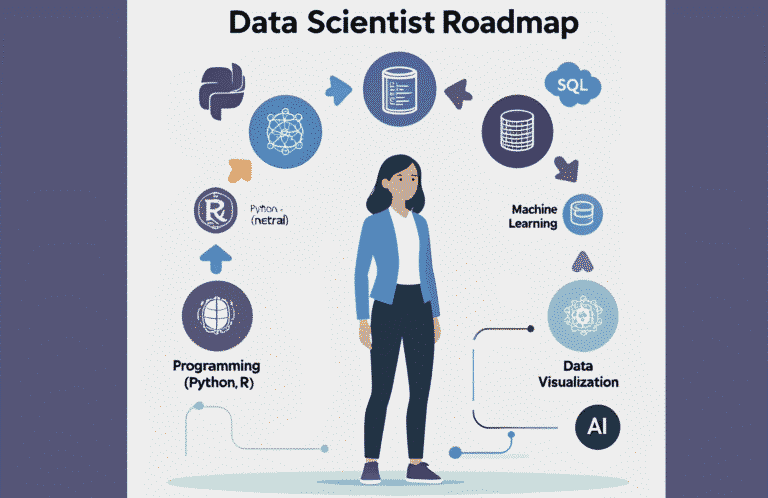

So, you want to learn data analysis in 2025? Then you are in the right place. Here you have a comprehensive roadmap that covers everything required, from basic to advanced, for a data analyst.
Every time you purchase online or scroll on social media platforms, data points are being created. Companies need skilled professionals to transform this raw data into insights and guide decisions.
That’s where the data analyst steps in.
If you’re planning to start a career as a data analyst in 2025, you’re starting at the right time. Organizations racing to become data-driven, skilled analysts are among the most in-demand professionals.
Why Become a Data Analyst in 2025?
Before diving into the roadmap, let’s understand why this career is so promising:
- High Demand: Businesses of all sizes need analysts to interpret data.
- Great Pay: Entry-level analysts can earn $55k–$75k annually, while experienced professionals can cross six figures.
- Remote Opportunities: Many analyst roles allow flexible or remote work.
- Gateway to Other Careers: Data analysis is often the first step toward data science, business intelligence, or product analytics.
Now, let’s break down the skills and steps you need to get there.
Phase 1: Build a Strong Foundation (Month 1–2)
1. Understand the Role of a Data Analyst
A data analyst’s job involves:
- Collecting and cleaning data: Raw data is messy. For Example, sales figures may have missing entries, or customer data could be duplicated. Cleaning the data ensures reliability.
- Running statistical tests: Suppose a marketing team wants to know if a new ad campaign actually worked. You might run a hypothesis test to check whether sales increased significantly.
- Creating dashboards and reports: Stakeholders use dashboards and reports to monitor performance. For example, a dashboard shows live sales numbers by region or product category.
- Communicating insights to business teams: The most important part. It’s not enough to find a pattern; you need to explain it in a way that managers with no technical background can understand.
2. Learn Basic Math & Statistics
You don’t need to be a math genius, but you must understand:
- Mean, median, mode, variance, standard deviation (how to summarize data).
- Probability basics(likelihood of an event).
- Hypothesis testing & confidence intervals(validating assumptions).
- Correlation and regression analysis (predicting relationships).
Don’t just memorize formulas. Apply them to small datasets like your budget or fitness tracker so the math feels practical.
Recommended Paid Courses:
- Statistics for Data Science & Business Analysis (Udemy): beginner-friendly, covers core stats with real-life examples.
- Introduction to Data Analytics (Coursera – IBM) → a short course for absolute beginners.
Phase 2: Master Core Data Tools (Month 2–5)
1. Excel / Google Sheets
Spreadsheets are still the most common starting point for analysis because of their flexibility and ease of use. Learn to:
- Use formulas such as SUMIF, VLOOKUP, XLOOKUP, and INDEX-MATCH for quick lookups.
- Work with pivot tables to summarize data effortlessly.
- Apply conditional formatting to highlight patterns automatically.
- Create charts directly in Excel/Sheets for quick visual insights.
- Practice with real-world datasets like sales reports or budget spreadsheets.
2. SQL (Structured Query Language)
SQL is the backbone of data analytics, since almost every company stores its information in databases. Essential skills include:
- Basic commands: SELECT, WHERE, ORDER BY, GROUP BY.
- Joins: INNER, LEFT, RIGHT, and FULL to merge multiple tables.
- Aggregations: COUNT, SUM, AVG, MIN, MAX for reporting.
- Window functions: ROW_NUMBER, RANK, LAG, LEAD for advanced analytics.
- Common Table Expressions (CTEs): for simplifying complex queries.
- Subqueries & Nested Queries: to solve layered problems.
- Indexes & Query Optimization: improve performance on large datasets.
- Hands-on practice: Use free databases like Chinook or Sakila to write queries.
3. Data Visualization Tools
Visualization tools help you turn raw numbers into actionable insights. Learn to:
- Master Power BI or Tableau for professional dashboards.
- Use the right chart types (bar, line, scatter, heatmaps, tree maps).
- Build executive dashboards that highlight KPIs at a glance.
- Connect dashboards to live data sources (databases, APIs, spreadsheets).
- Understand color theory and design principles for readable visuals.
- Explore open-source tools like Google Data Studio or Looker Studio.
4. Data Cleaning & Preparation Tools
Before you analyze, you must prepare. Analysts spend most of their time cleaning data, so this is a critical skill.
- Learn OpenRefine for handling messy data.
- Practice cleaning with Excel Power Query.
- Use Python’s Pandas or R’s dplyr for more advanced wrangling (this overlaps with Phase 3).
- Understand how to handle missing values, duplicates, and outliers.
- Get comfortable with data formats (CSV, JSON, XML, SQL dumps).
5. Cloud & Collaboration Basics (Optional but Recommended)
Since 2025, jobs increasingly involve remote and cloud-based work, so it’s useful to know:
- How to use Google BigQuery for cloud SQL queries.
- Basics of Snowflake or AWS Redshift for big data.
- Sharing dashboards securely through Power BI Service or Tableau Online.
Working with version control tools (GitHub) for collaborative projects.
Recommended Paid Courses:
- Excel Essentials for Data Analytics (Udemy / Coursera) → complete Excel toolkit for analysts.
- The Complete SQL Bootcamp (Udemy) → top-rated SQL course used by thousands of analysts.
- Power BI A-Z: Hands-On Power BI Training (Udemy) or Tableau Training for Beginners (Coursera) → great for dashboard building.
Phase 3: Programming for Data Analysis (Month 5–8)
Once you’re confident with spreadsheets, SQL, and visualization, the next step is programming — it gives you flexibility with complex datasets.
1. Learn Python (Recommended)
Key libraries to learn after doing Python basics:
- Pandas: Data cleaning and wrangling.
- NumPy: Numerical computations.
- Matplotlib & Seaborn: Data visualization.
Jupyter Notebook: Interactive analysis and reporting
2. R (Optional Alternative)
If your target industries are academic research, healthcare, or statistics-heavy projects, R is worth learning.
- dplyr & tidyr: Data manipulation.
- ggplot2: Elegant, flexible data visualization.
- Shiny: Build interactive dashboards in R.
3. Automating Workflows
- Automate repetitive tasks with Python scripts.
- Export reports automatically.
- Learn the basics of APIs for pulling data.
Recommended Paid Courses:
- Python for Data Analysis and Visualization (Udemy) → beginner to advanced coverage of Pandas, Matplotlib, Seaborn.
- Data Analyst with Python Career Track (DataCamp) → structured, interactive coding practice.
Once you’ve learned SQL basics, start solving real-world problems. Platforms like StrataScratch or LeetCode SQL are great for practicing interview-style queries. For Python, sites like HackerRank can help you sharpen your coding logic.
Phase 4: Advanced Analytics & Business Skills (Month 8–10)
1. Advanced SQL
- Learn stored procedures to automate recurring queries.
- Learn query optimization techniques (indexes, execution plans) for large datasets.
- Master complex joins and nested queries to handle multi-table analysis.
- Learn window functions for finding totals, rankings, and cohort analysis.
Explore data modeling basics (star schema, snowflake schema).
2. Business Intelligence
- Understand key business metrics like customer churn, conversion rate, ROI, and retention.
- Learn how to design and interpret A/B tests and controlled experiments.
- Practice trend analysis and forecasting with historical data.
- Build executive dashboards that focus on the KPIs decision-makers care about.
- Develop skills in self-service BI tools (Power BI/Looker/Tableau) for scalable reporting.
3. Communication & Storytelling
- Learn to write concise reports that highlight insights.
- Present findings to non-technical audiences using simple language.
- Use storytelling techniques: context → problem → insight → recommendation.
- Support your analysis with visuals and case studies.
- Practice data-driven persuasion to influence business strategy.
Recommended Paid Courses:
- Business Intelligence Analyst Course 2025 (Udemy) → covers SQL, Tableau, and BI case studies.
- A/B Testing by Google (Coursera) → short, practical course on experimentation.
- Storytelling with Data: A Data Visualization Guide (Book or Workshop) → great resource for improving communication.
Modern BI tools are now integrating AI-powered features such as Power BI’s “AI visuals” or Tableau’s Explain Data. These features help automate insights and predictive analysis, so learning to use them will keep you ahead in 2025.
Phase 5: Build a Portfolio (Month 10–12)
A strong portfolio proves your skills better than any resume line. Employers want to see how you turn raw data into insights.
What to Include in Your Portfolio
- Sales Performance Dashboard (Power BI/Tableau): Show revenue by product, region, and time with interactive filters.
- Customer Churn Analysis (SQL + Python): Identify patterns in why customers leave and suggest retention strategies.
- Marketing Campaign Effectiveness (A/B Testing): Compare control vs. treatment groups to measure conversion lift.
- E-commerce Data Insights (Kaggle datasets): Analyze product sales, seasonal trends, and customer behavior.
- Data Cleaning & Automation Project (Python/Excel): Demonstrate how you streamline messy datasets into ready-to-use reports.
- Personal Project: Use data from your life (fitness tracker, budget, social media) to show creativity and problem-solving.
Recommended Paid Tools:
- Tableau Public Premium Features → professional dashboard hosting.
- Canva Pro → design a personal portfolio website or branded LinkedIn visuals.
- Fiverr/Upwork → get a professional website built if you don’t want to DIY.
How to Showcase Your Work
- Publish code and notebooks on GitHub with clear READMEs.
- Create polished dashboards and share them via Tableau Public or Power BI Service.
- Write case study blog posts on Medium or your own site to explain your process.
- Build a personal portfolio website linking your projects, resume, and LinkedIn.
- Technical skills get you in the door, but soft skills set you apart. Strong communication helps you explain insights to non-technical teams. Business domain knowledge (finance, healthcare, e-commerce, etc.) makes your analysis more valuable and context-driven
Phase 6: Certifications & Career Preparation (Month 12+)
- Paid Certifications:
- Google Data Analytics Professional Certificate (Coursera): A structured beginner program that teaches you how to clean data, use spreadsheets, write SQL queries, and present insights with dashboards.
- Microsoft Power BI Data Analyst Associate: Ideal if you want to specialize in Power BI — you’ll learn to design interactive dashboards and pass an official Microsoft exam.
- Tableau Certified Data Analyst: Perfect for those who love visualization. It validates your ability to create and interpret dashboards for business decision-making.
- Data Analyst Career Track (Springboard/DataCamp): Guided, hands-on paths that combine SQL, Python, and project work with mentorship.
- Resume & Job Prep Tools:
- Zety / Novoresume: AI-powered resume builders with ATS-friendly templates.
- Kickresume: modern resume + cover letter tool.
- LinkedIn Premium Career: networking and recruiter visibility boost.
- StrataScratch: practice real SQL interview questions.
FAQ: Roadmap to Learn Data Analysis in 2025
How long does it usually take to become a data analyst?
If you study regularly for a few hours each week, you can build solid skills in about 6–12 months. Learners with prior knowledge of Excel or SQL may advance more quickly.
Do I need a university degree to get hired as a data analyst?
Not necessarily. Many employers now look for hands-on skills and portfolio projects rather than just a diploma.
What programming languages are most useful?
SQL → Essential for working with databases
Python → Great for automation, analysis, and visualization
R → Optional, Used in statistics-heavy or research fields
Is data analysis still a good career choice in 2025?
Absolutely. Businesses across all industries — tech, healthcare, finance, e-commerce, and more — need people who can make sense of data and turn it into insights. Demand continues to rise.
Which beginner tools should I learn first?
Excel/Google Sheets → quick analysis & formulas
SQL → querying structured data
Power BI / Tableau → building dashboards
Python libraries (Pandas, NumPy, Matplotlib) → deeper analysis
How much math knowledge do I need?
You don’t need advanced mathematics. Basic knowledge of statistics, probability, and simple algebra is enough to work effectively as an analyst. Complex math like calculus is rarely required.
How do beginners build a portfolio?
Start with open datasets from places like Kaggle or government sites. Create dashboards, run small analyses, and share them on GitHub, Tableau Public, or your personal blog. A strong portfolio increases the chance of getting hired.
Which certifications are most valuable?
Some well-recognized ones include:
- Google Data Analytics Professional Certificate (Coursera)
- Microsoft Power BI Data Analyst Associate
- Tableau Certified Data Analyst
- Career tracks from platforms like DataCamp or Springboard
Can I work as a data analyst without coding?
Yes, many tasks can be done with Excel and BI tools. But knowing at least basic Python opens more opportunities, helps you automate tasks, and makes you more competitive.
What’s the difference between a data analyst and a data scientist?
Data Analyst → Prepares, cleans, and interprets data; builds reports and dashboards.
Data Scientist → Uses more advanced techniques like machine learning and predictive modeling.
Conclusion
Becoming a data analyst in 2025 is absolutely achievable — whether you’re a student, a career switcher, or already working in tech. The journey requires commitment, but with the right tools, projects, and portfolio, you can land a job in under a year.
Start small, stay consistent, and remember: companies don’t just hire people who know data — they hire people who can turn data into decisions.