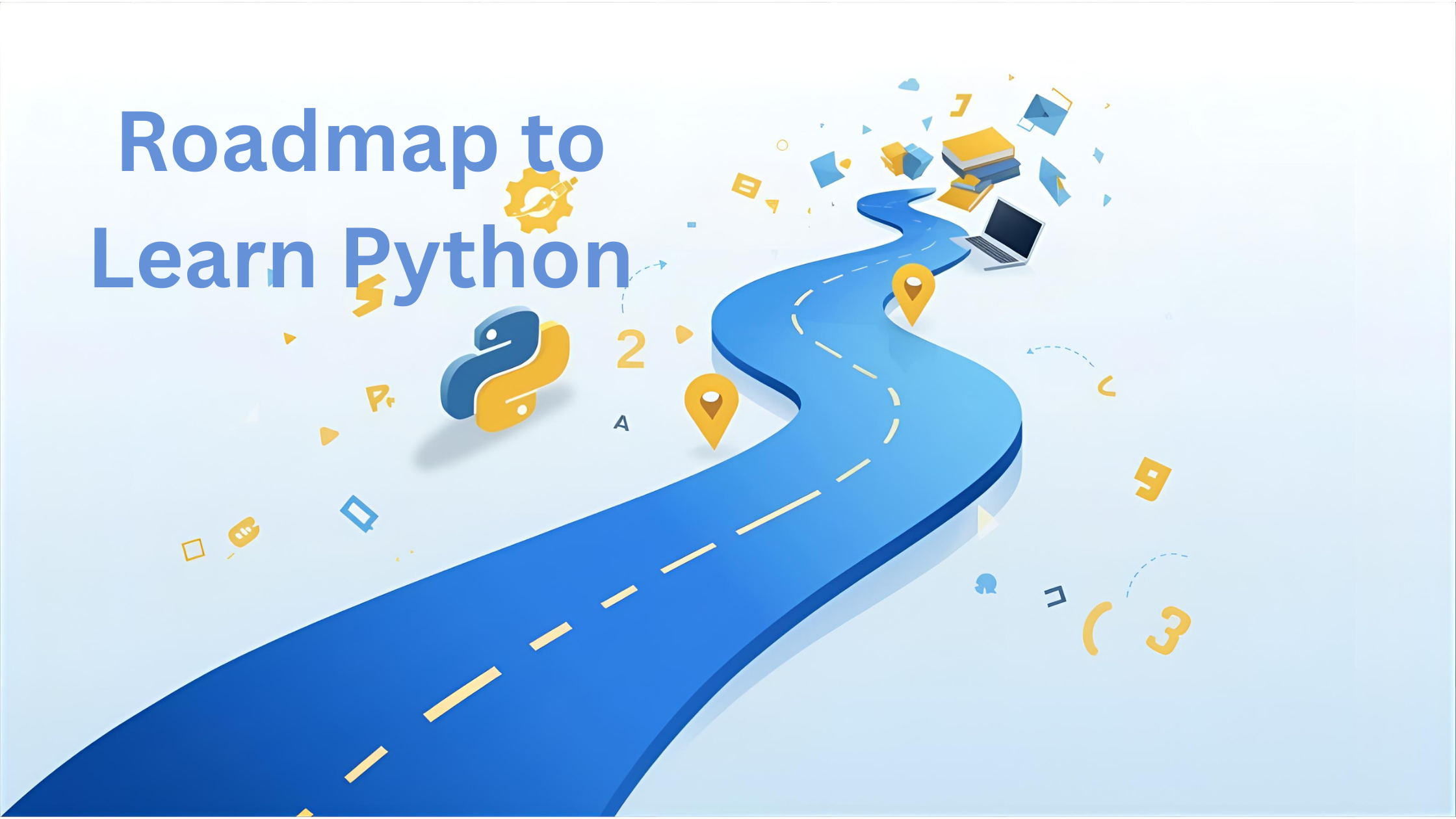
So, you have decided to learn programming. Congratulations! You are about to unlock a superpower that lets you build websites, analyze data, automate boring tasks, and dive into artificial intelligence with the power of Python by following Python learning guide for beginners.
There are many reasons behind the popularity of Python. Python syntax is easy like English, which makes it simple to learn. Syntax is clean and uses indentation instead of curly braces {}, which makes you write neat, readable code. Millions of developers share libraries, tutorials, and solutions, which is why Python has a vast collection of libraries and frameworks.
- Web development: Flask, Django
- Web Scraping: Scrapy, Beautiful Soup
- Data Science & Machine learning: Pandas, Numpy, Scikit-learn
- Automation: Requests, Selenium
Applications of the Python Language
Python is a general-purpose language. It is not limited to one field.
- Cybersecurity: Security professionals often learn Python as their first language. Scapy and Requests libraries are used to write scripts and tools for analyzing network traffic, penetration testing, or scanning for vulnerabilities.
- Automation: Many IT professionals use Python to automate repetitive or boring tasks, such as writing a Python script to rename hundreds of files, scraping information from websites, or controlling Excel sheets.
- Data Science & Artificial Intelligence: Python is the top choice for AI research and applications. Libraries like Pandas, Matplotlib, Scikit-learn, and NumPy allow us to analyze huge amounts of data, create visualizations, and train machine learning models.
- Web Development: Frameworks like Flask, Django make it easy to develop websites and web apps.
- IoT (Internet of Things): Python allows connecting software with hardware, also used to program small devices like Respberry Pi, which makes it popular for IoT projects to control sensors, smart devices, or build home automation systems.
- Game Development: Python is widely used for creating 2d and small games using libraries like Pygame, but it is not the primary choice for video games.

12-Week Python Developer Roadmap
Phase 1 — Basics (Weeks 1–4)
Setup
- Install Python 3.x, VS Code, Git. Create a GitHub account.
- Learn the terminal basics; use python -m venv venv + pip to manage packages.
Core Python
- Variables & datatypes, numbers, strings, f-strings
- Lists/tuples/sets/dicts, slicing & list comprehensions
- Conditionals, loops, functions, scope
- Files (read/write), exceptions, modules & imports
- Standard library tour: pathlib, datetime, json, csv, random
Mini-projects (pick 2–3)
- Expense Tracker (CLI): add/list expenses, save to CSV/JSON
- Unit Converter: temperatures, currency (static rates), lengths
- Guess-the-Word Game (hangman-lite)
- Contact Book: CRUD contacts in a JSON file
Habits
- Push every project to GitHub.
- Write a short README (what it does, how to run, sample screenshots).
- Follow PEP 8 style; start using a formatter (Black) and Ruff/Flake8.
Phase 2 — Intermediate (Weeks 5–8)
Programming Foundations
- OOP: classes, __init__, dunder methods, inheritance vs composition, dataclasses
- Type hints and a type checker (mypy or Pyright)
- Testing with pytest + basic TDD
- DSA: Big-O intuition; arrays/lists vs sets vs dicts; stacks/queues; binary search; BFS/DFS; common sorts
Building Real Apps
- HTTP & REST basics, JSON, status codes
- Web: Flask or FastAPI; routes, templates (Jinja), forms, validation
- Database: SQLite + SQLAlchemy (or SQLModel). Basic CRUD, relationships, migrations (Alembic).
- CLI Apps: argparse or Typer; config with .env (python-dotenv)
- Packaging: project structure, __init__.py, pyproject.toml (Poetry optional)
Projects (pick 2)
- Task Manager (Flask/FastAPI + SQLite): users, tasks, due dates, filters
- Personal Notes API: token auth, CRUD, pagination, rate limiting
- CLI YouTube/Podcast Downloader: queues, retries, progress bar
- Book Finder: search a public API, cache results locally
Phase 3 — Advanced/Job-Ready (Weeks 9–12)
Production Essentials
- Async & Concurrency: asyncio, httpx/aiohttp, when to use threads vs async
- Reliability: logging, graceful error handling, retries/backoff, input validation with Pydantic
- Data Work: NumPy, Pandas; basic plots with Matplotlib; simple EDA
- Security & Secrets: never commit keys, environment variables, or basic auth practices
- Deployment: Dockerize; run with uvicorn/gunicorn; deploy to a managed host (any free/low-cost platform)
- CI: GitHub Actions to run tests and lint on every push
- Docs: great README, screenshots/GIFs, .env.example, Makefile or just tasks.py
Capstone (pick 1)
- Async Web Scraper + Dashboard
- Crawl 3–5 sites concurrently, parse data, store in SQLite/Postgres
- Expose a small REST API + a minimal dashboard (Flask + Jinja)
- Add caching, retries, and a “last updated” status
- Full-Stack Notes App
- FastAPI backend (JWT), SQLAlchemy, Alembic
- Simple frontend (HTML or a minimal React) or server-rendered templates
- Docker + GitHub Actions + one-click deploy
- Data Portfolio Project
- Acquire a public dataset (CSV/JSON), clean with Pandas, analyze, and plot
Portfolio Project Ideas (resume-friendly)
Beginner → Intermediate → Advanced. Choose 4–6 total; pin your best 3 on GitHub.
- File Renamer CLI (Typer) — batch rename files using rules; add dry-run mode
- Markdown to HTML Converter — parse headings, generate TOC, export
- URL Monitor — check uptime/latency, alert via email/Telegram webhook
- Price Tracker — scrape product price daily, plot historical chart
- Workout Logger — Flask + SQLite, charts with Matplotlib
- Image Gallery API — upload, thumbnails, EXIF reader, S3-compatible storage
- Recipe Box — search, ingredients, shopping list export (PDF/CSV)
- Finance Manager — import bank CSV, categorize, and monthly report
- Real-Time Crypto Ticker — FastAPI WebSocket, async price fetcher, caching
- Study Planner — task durations, calendar export (ICS), reminders
For each project, include:
- Clean README (problem → solution → how to run)
- Screenshots/GIF demo + a short Loom video
- Tests (even a few) + CI badge
- A short write-up: what you learned, trade-offs, next steps
Daily/Weekly Routine (simple & sustainable)
If you have ~2 hours/day:
- 20 min: theory/reading
- 60 min: coding (feature or challenge)
- 20 min: tests/refactor
- 20 min: notes + GitHub push
Weekly:
- 1 new feature or small project
- 1 code review on your own code (open an issue, list improvements)
- 1 mock interview/DSA practice session
- Update resume/LinkedIn with progress wins
Interview & Internship Preparation (Weeks 10–12)
- Python Basics: data types, mutability, list vs tuple, dict & set operations, slicing, comprehensions
- OOP: classes, inheritance, composition, @classmethod/@staticmethod, __repr__, __str__
- Errors: try/except/else/finally, custom exceptions
- Files/Paths: pathlib, CSV/JSON, context managers (with)
- Algorithms: two-sum, anagrams, merge intervals, BFS/DFS on graphs/trees
- SQL: SELECT, JOIN, GROUP BY, indexes (basics)
- Web: REST verbs, status codes, idempotency, pagination, and auth basics
- Git: branching, PRs, resolving conflicts; write good commit messages
Practice platforms:
- LeetCode (easy/medium),
- Codeforces (basic),
- HackerRank. Do 3–5 problems/week and track patterns you learn.
How to Turn Projects into Offers
- Polish the repo: README, demo GIF, .env.example, “Run locally” instructions.
- Quantify impact in your resume bullets:
- “Built a FastAPI service to scrape & cache 5 sites asynchronously, cutting response times by ~60%.”
- “Implemented CI (GitHub Actions) and 20+ unit tests, reducing regressions to zero during new releases.”
- Apply broadly: tailor 2–3 bullets to match the posting; link directly to relevant projects.
Starter Curriculum Checklist
- Python installed, VS Code, Git, GitHub profile
- Venv + pip mastery; formatters & linters
- Basics complete + 2 mini-projects
- OOP + type hints + pytest
- One web API (Flask/FastAPI) + SQLite
- One async/concurrency demo
- Dockerize one project + simple CI
- Capstone shipped with demo & README
Recommended Paid Python Courses & Certifications
If you’re serious about becoming a Python developer and want credentials that strengthen your resume, here are some of the best paid options:
1. Coursera
- Python for Everybody (University of Michigan) – beginner-friendly, builds strong fundamentals.
- Google IT Automation with Python – focused on automation and scripting.
- IBM Python for Data Science, AI & Development – great for data and AI career paths.
Why choose Coursera: University-backed, affordable, and widely recognized.
2. Udacity Nanodegrees
- Become a Python Developer Nanodegree – covers real-world projects and mentorship.
- Data Engineer Nanodegree – ideal if you want to work with data pipelines and backend systems.
Why choose Udacity: Project-based learning, career coaching, and strong portfolio-building.
3. Codecademy Pro
- Learn Python 3 (Codecademy Pro) – interactive lessons with a certificate.
- Full-Stack Engineer Career Path – expands beyond Python into web development.
Why choose Codecademy: Gamified learning, beginner-friendly approach, certificates included.
4. Python Institute Certifications
- PCEP – Certified Entry-Level Python Programmer (beginner-friendly).
- PCAP – Certified Associate in Python Programming (intermediate level).
- PCPP – Professional Python Programmer (advanced level).
Why choose Python Institute: Globally recognized certifications that validate your Python skills.
Ready to take the next step in your Python journey? Start with a beginner-friendly course, then move on to certifications that showcase your skills to employers.
FAQs
How much time take to learn Python?
With consistent daily practice (1–2 hours), basics take about 4–6 weeks, and intermediate to advanced job-ready skills take 3–6 months.
Is Python good for beginners?
Yes. Python has simple, readable syntax and a huge community, making it beginner-friendly compared to languages like C++ or Java.
What projects should I start with?
Start small:
Expense tracker
Unit converter
Guess-the-word game
Contact book app
As you progress, try web apps, APIs, or data science projects.
Is Python enough to get a job?
Python alone is powerful, but employers often expect supporting skills:
Web path: Flask, Django, SQL
Data path: Pandas, NumPy, Scikit-learn, SQL
Automation path: Selenium, Requests, Bash scripting
Do I need a degree to become a Python developer?
No. Many Python developers are self-taught. What matters is your portfolio, GitHub projects, and problem-solving ability.
Which Python certifications are most valuable?
PCEP (entry-level)
PCAP (associate-level)
Google IT Automation with Python (Coursera)
Udacity Nanodegree certificates
IBM Python for Data Science (edX/Coursera)
How can I practice Python effectively?
Solve coding challenges on LeetCode, HackerRank, and Codewars.
Work on personal projects.
Contribute to open-source projects on GitHub.
Join coding communities (Reddit, Discord, Stack Overflow).
How much can a Python developer earn?
Salaries vary by region and role, but Python developers often earn competitive pay:
Entry-level: $50k–70k/year (globally adjusted).
Experienced (data science/AI roles): $100k–150k/year.
How do I prepare for Python interviews?
Revise Python basics (datatypes, loops, functions, OOP).
Practice problem-solving (LeetCode, HackerRank).
Learn SQL basics.
Review algorithms: two-sum, sorting, BFS/DFS.
Prepare a few strong project demos.
How do I build a strong Python portfolio?
Complete 4–6 projects (small → medium → capstone).
Write clean README files with screenshots.
Deploy one or two projects (e.g., on Heroku, Render, or Docker).
Showcase on GitHub and LinkedIn.